[Mac]遙控器最強的夥伴Remote Buddy,必備!!

Mac 軟體使用經驗交流專區

版主: Alex Tsaiross_ttdigdog

回覆文章
內容
發表人
頭像
吉米丘
留言破百
文章: 221
註冊時間: 05/03/2005 7:22 pm
來自: iPhone4.TW
聯繫:

[Mac]遙控器最強的夥伴Remote Buddy,必備!!

#1 文章 吉米丘 »

吼!!!

受不了了,吉米發現這個軟體時,實在無法相信,怎麼會有人把軟體給設計的這麼讚呢?

圖檔
那就是Remote Buddy這套軟體

當然大家也都看到了,而吉米也故意露出來了

這套軟體當然不只是讓你原本水果幫那個長得就像第一代iPod Shuffle的遙控器,變成超人之外

圖檔
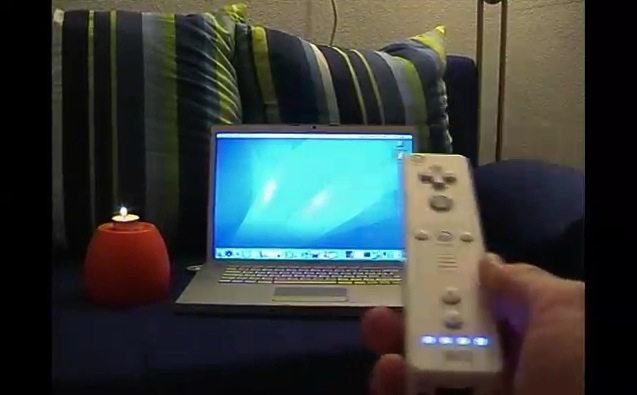
任天堂的當紅炸子機WiiRemote當然也要拿來表現一下囉

有在簡報的夥伴絕對有這樣的經驗

一隻手拿遙控器,切換簡報

一隻手拿雷射筆,來當作指標來介紹重點

圖檔
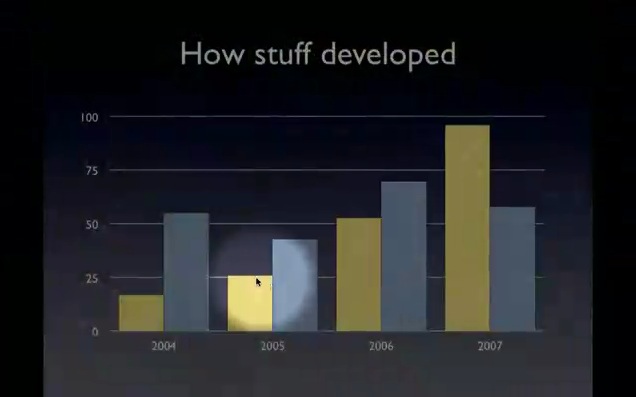
你看看,在keynote中按下按鈕之後,不但有mousepose那套軟體的focus聚光效果,讓你可以把重點給表現出來

一切的動作,就像你在操作wii一樣,不需要對準螢幕,只需要晃動你的wii遙控器,就可以做到移動滑鼠的功能(PS.這部份請參閱原廠說明

圖檔
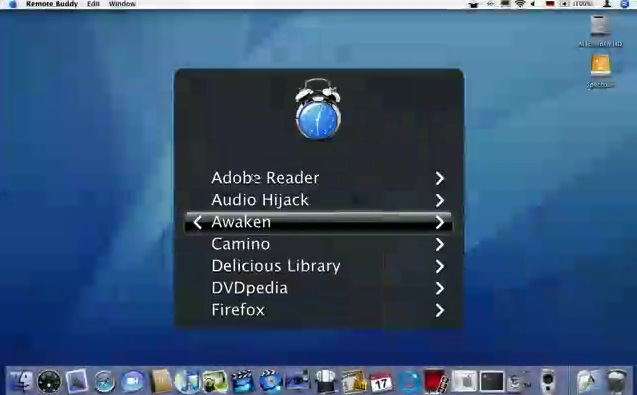
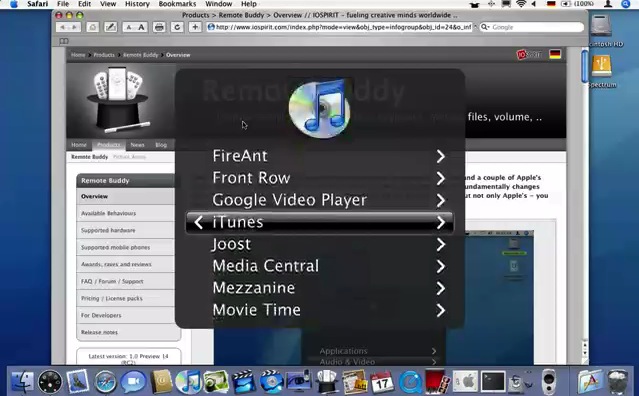
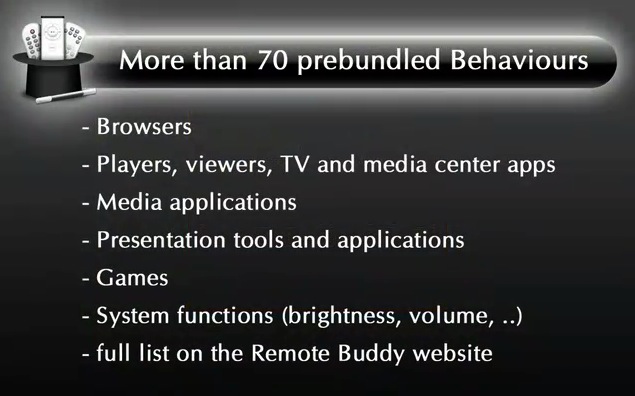
更可以呼叫各式各樣的AP,來滿足你的需求

圖檔
舉個iTunes的例子來說好了

圖檔
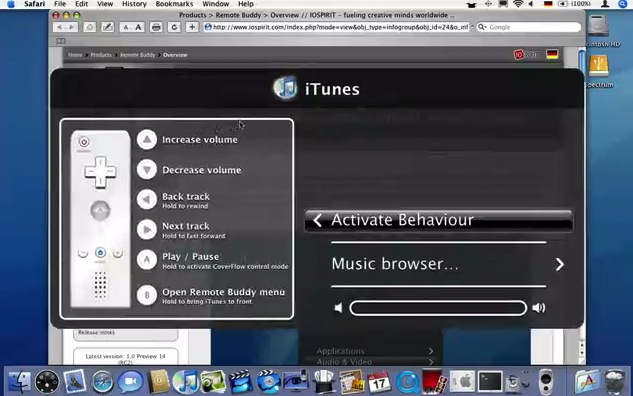
你常忘記哪個按鈕是幹嘛的嗎?沒關係,每次進入你可以先看到針對這個軟體,所對應的按鍵與對應功能,由於吉米目前是使用WiiRemote所以旁邊的圖示就是顯示wiiremote

圖檔
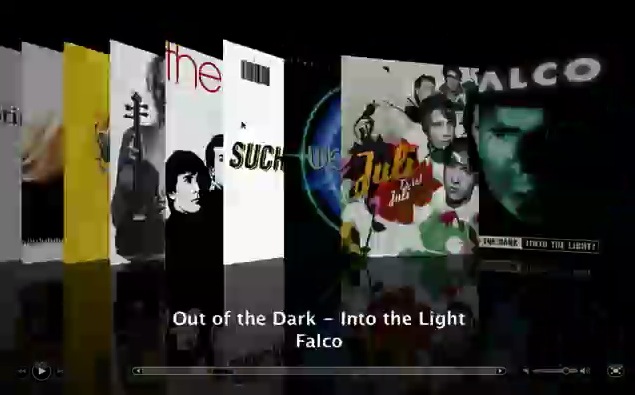
反正啊,就像在電腦前面一樣,只是把滑鼠換成了wiiremote,選歌更直覺,簡直就像用手去撥弄一樣

圖檔
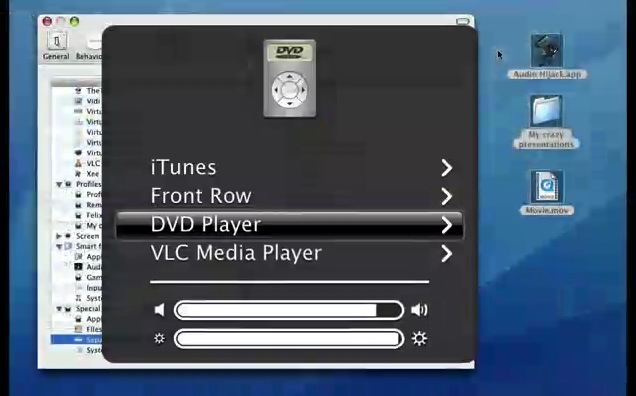
當然還可以控制DVD Player

圖檔
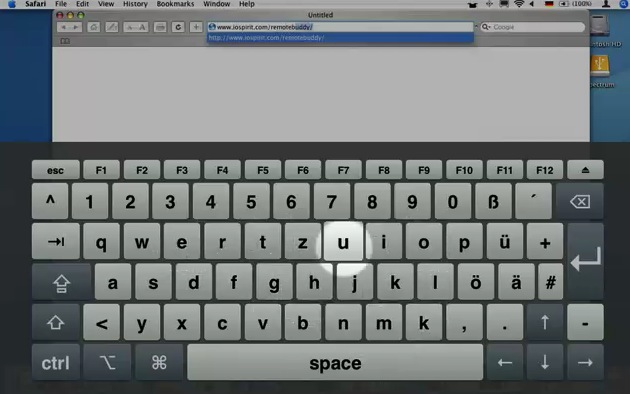
更可以叫出虛擬鍵盤來輸入資料

看到這裡,吉米相信在客廳使用mac mini連接大螢幕LCD輸出的夥伴,要樂翻了~

圖檔
功能太多,太絢麗,留給夥伴自己去研究

吉米自己要去玩了

圖檔
這麼神的一套軟體,只要不到10歐元...快喔~若正式版出來的話,就要20歐元囉~

原廠網站
http://www.iospirit.com/index.php?mode=view&obj_type=infogroup&obj_id=24&o_infogroup_objcode=infogroup-23&sid=3679964G91b47b9b6d442e46
iPhone終極使用指南,實體書籍「吉」將登場
頭像
whindang
討論區管理員
文章: 3927
註冊時間: 11/17/2004 5:06 pm
聯繫:

#2 文章 whindang »

哇~ 這個好神~~

ibook 有辦法用嗎??
聽說新來的 Mac 很屌。

Mac 有什麼了不起?我小時候也用過 Mac!

對阿~
頭像
吉米丘
留言破百
文章: 221
註冊時間: 05/03/2005 7:22 pm
來自: iPhone4.TW
聯繫:

#3 文章 吉米丘 »

老實說,這段話吉米有看沒有懂
The IR mouse mode does not seem to work - even if I point the remote to the screen or IR receiver.
---------------------------------------------------
Built into the Wii(TM) Remote is an infrared sensor, that can locate several, punctual infrared light sources and report their location to Remote Buddy.
It's impossible to determine the position of the remote control - and thus also moving the mouse cursor - without at least one of these infrared lightsources.

When using the game console, the so called sensor bar is supplying this IR light source. The name is a bit misleading, as it does not contain any sensors at all, just IR diodes, that emit light in the IR spectrum - which is invisible to the human eye.

If no sensor bar is available to you - or if the IR diodes in it are currently turned off, another infrared light source is required. Infrared radiation is also called heat radiation. Simply said, when there's heat, there's infrared light, too. Using this physical phenomena, you can also use very hot objects as infrared light source - whereas f.ex. tealights and candles are especially predestined. Always make sure to exclude the possibility of a fire and any other risks, when using burning candles, tealights or very hot objects,

An infrared receiver can not be used as infrared lightsource. It can only receive, not emit infrared light.

TV sets and monitors don't create light in the infrared range that would be strong enough, either.

In order to use the infrared mouse mode, you have to point your remote control to the IR lightsource. You can easily check, whether this source is strong enough by having a look at the options of your remote in Remote Buddy's preferences (in the Hardware tab). There, all light sources recognized by the IR sensor are displayed for as long as the IR mouse mode is active.

You can find more information on infrared light on f.ex. Wikipedia (Link to external article).

看起來是說,需要一個類似wii的那個sensor bar來【發射】紅外線光源,來讓wiiremote感應

阿那這樣要怎搞?吉米已經寫信去問他們了

用蠟燭?!真是太猛了... :?
iPhone終極使用指南,實體書籍「吉」將登場
頭像
whindang
討論區管理員
文章: 3927
註冊時間: 11/17/2004 5:06 pm
聯繫:

#4 文章 whindang »

意思似乎是說,wii remote 實際上只是個感應器,而不是發射器,與一般我們以為的紅外線遙控器有所不同,例如 Apple remote 可能就真的是紅外線的發射器,所以用 wii remote 指著電腦當然沒用,因為它其實也算是個接受器,真正的發射器在別的東西上(我沒有 wii,我不曉得是哪個~),因此,應該對著那個紅外線發射器才有用~~

看來,Apple remote 似乎是更方便的選擇~

只是我的 ibook 沒有紅外線接受器,如果另外買個 USB 的紅外線接受器,行嗎?
聽說新來的 Mac 很屌。

Mac 有什麼了不起?我小時候也用過 Mac!

對阿~
頭像
吉米丘
留言破百
文章: 221
註冊時間: 05/03/2005 7:22 pm
來自: iPhone4.TW
聯繫:

#5 文章 吉米丘 »

不用不用

剛看完了整篇

又review了ㄧ次他的影片

果然,他真的用【蠟燭】來當作紅外線的發射光源

那...吉米也來試試看喔~

以後簡報,都要點蠟燭來,增加【情趣】嗎? :shock: :shock: :shock:

哈哈~ :badgrin:

真的噎~

只要拿打火機來點一下,就馬上可以運作囉~

太神奇啦~

請格外注意用火安全

還有,若夥伴有發現甚麼新的會發射紅外線的東西,記得分享一下喔~
iPhone終極使用指南,實體書籍「吉」將登場
頭像
麻辣杯麵
哇哈哈~我是神
文章: 5222
註冊時間: 04/26/2001 1:01 am
來自: 可以看到極光的地方

#6 文章 麻辣杯麵 »

看起來好像很棒,可是還得要有 Wii 才行~ 8)
曾經滄海難為水.除卻巫山不是雲
頭像
HanoChen
常吃冰
文章: 452
註冊時間: 05/15/2005 10:50 am
來自: 網路無國界

#7 文章 HanoChen »

這真的太棒了... 8) 感謝吉米大..
不過很懷疑...靈敏度.....
財源滾滾...向東流........
頭像
whindang
討論區管理員
文章: 3927
註冊時間: 11/17/2004 5:06 pm
聯繫:

#8 文章 whindang »

這玩意兒真的讓我很想買,假如我買個這樣的東西,可以用在 ibook 上 apple remote 嗎?
聽說新來的 Mac 很屌。

Mac 有什麼了不起?我小時候也用過 Mac!

對阿~
頭像
吉米丘
留言破百
文章: 221
註冊時間: 05/03/2005 7:22 pm
來自: iPhone4.TW
聯繫:

#9 文章 吉米丘 »

不對不對喔

要用wiiremote與電腦連接,需要的是藍芽

也就是說若你是之前的iBook沒有加裝藍芽的,就需要買個藍芽dongle來透過藍芽連接wiiremote

接著,若要wiiremote變成一個滑鼠指標器時,需要的是一個紅外線的【發射源】,不是接收端

例如蠟燭、打火機發出來的火焰,會產生紅外線,讓wiiremote可以加以參考將移動的動態透過藍芽回報給電腦,產生回饋

而您說得這個紅外線傳輸器

則是接收端

若他能夠拿來接收apple remote所發射的訊號,那就還ok

但不能拿來與wiiremote做結合喔~
iPhone終極使用指南,實體書籍「吉」將登場
yoshiki
新生訓練中
文章: 2
註冊時間: 04/18/2006 11:11 pm

#10 文章 yoshiki »

之前有看到別的網友
去買紅外線的LED自製紅外線發射器
頭像
whindang
討論區管理員
文章: 3927
註冊時間: 11/17/2004 5:06 pm
聯繫:

#11 文章 whindang »

意外找到一個有趣的軟體
http://blog.hiroaki.jp/2006/12/000433.html

DarwiinRemote 可以讓 wii 在 Mac 上使用~ 有 wii 的人可以玩看看效果如何~~
聽說新來的 Mac 很屌。

Mac 有什麼了不起?我小時候也用過 Mac!

對阿~
shoopy
新生訓練中
文章: 16
註冊時間: 01/21/2005 6:47 am

#12 文章 shoopy »

yoshiki 寫:之前有看到別的網友
去買紅外線的LED自製紅外線發射器

可以去買一隻Wii的無限Wireless Sensor Bar,就可以給他完整功能用下去
donald2007
新生訓練中
文章: 8
註冊時間: 02/24/2007 11:57 pm

#13 文章 donald2007 »

:?: :?:

怪了~~~
你們怎麼沒看到他的 MBP 旁邊接了一個黑色盒子 還發著藍光??
那應該就是 WiiMote 接收器吧

這個 Remote Buddy 應該只是全功能 遙控器軟體
把 Apple Remote 的功能加強而已啊!!!

至於 蠟燭 應該只是增加 投影簡報時的 畫面和氣氛吧.....

:roll:
hsu912174
留言破百
文章: 203
註冊時間: 10/18/2004 1:34 am
聯繫:

#14 文章 hsu912174 »

donald2007 寫::?: :?:

怪了~~~
你們怎麼沒看到他的 MBP 旁邊接了一個黑色盒子 還發著藍光??
那應該就是 WiiMote 接收器吧

這個 Remote Buddy 應該只是全功能 遙控器軟體
把 Apple Remote 的功能加強而已啊!!!

至於 蠟燭 應該只是增加 投影簡報時的 畫面和氣氛吧.....

:roll:
真的是蠟燭。
Wii遙控器用的是Sensor Bar發出的兩個紅外線光點來定位,所以任何可以發出紅外線的裝置其實都可以拿來替代,例如按住的遙控器、用紅外線LED的手電筒、然燒的火焰(打火機、蠟燭...etc)。
回覆文章